
Launch list
The strategy lab for your MetaTrader 5.
Strategy research, validation and management, on your PC. NextBotFX CT tests thousands of combinations with your broker's costs, scores each strategy from 0 to 100 on the years it has never seen, and only takes the portfolio to your MT5 once you confirm.
For traders and managers
- You hear about the launch first
- A special launch offer, for the list only
- No spam: only what matters about the launch
Done, you're on the launch list.
The launch notice reaches you first, on WhatsApp and by email. Stay tuned.
Join the WhatsApp channel Follow @ct_nextbotfx Meanwhile, see how it works →FIG. 01 · The ruler of years
The test doesn't repeat the optimization.
The search uses some years. The score comes from the others, which the strategy has never seen. Then come 1,000 Monte Carlo scenarios and the final test on real ticks.
+ 1,000 Monte Carlo scenarios
→ Final test on real ticks
= Score from 0 to 100 · green from 80
- N.º 01
Score 100 and rejected: 21 trades prove nothing.
- N.º 02
Your broker's costs go into the test.
- N.º 03
The CT warns you when live results drift away from the test.
The process
Process, not promises.
Six stages, all inside the CT, before a strategy reaches your MetaTrader 5.
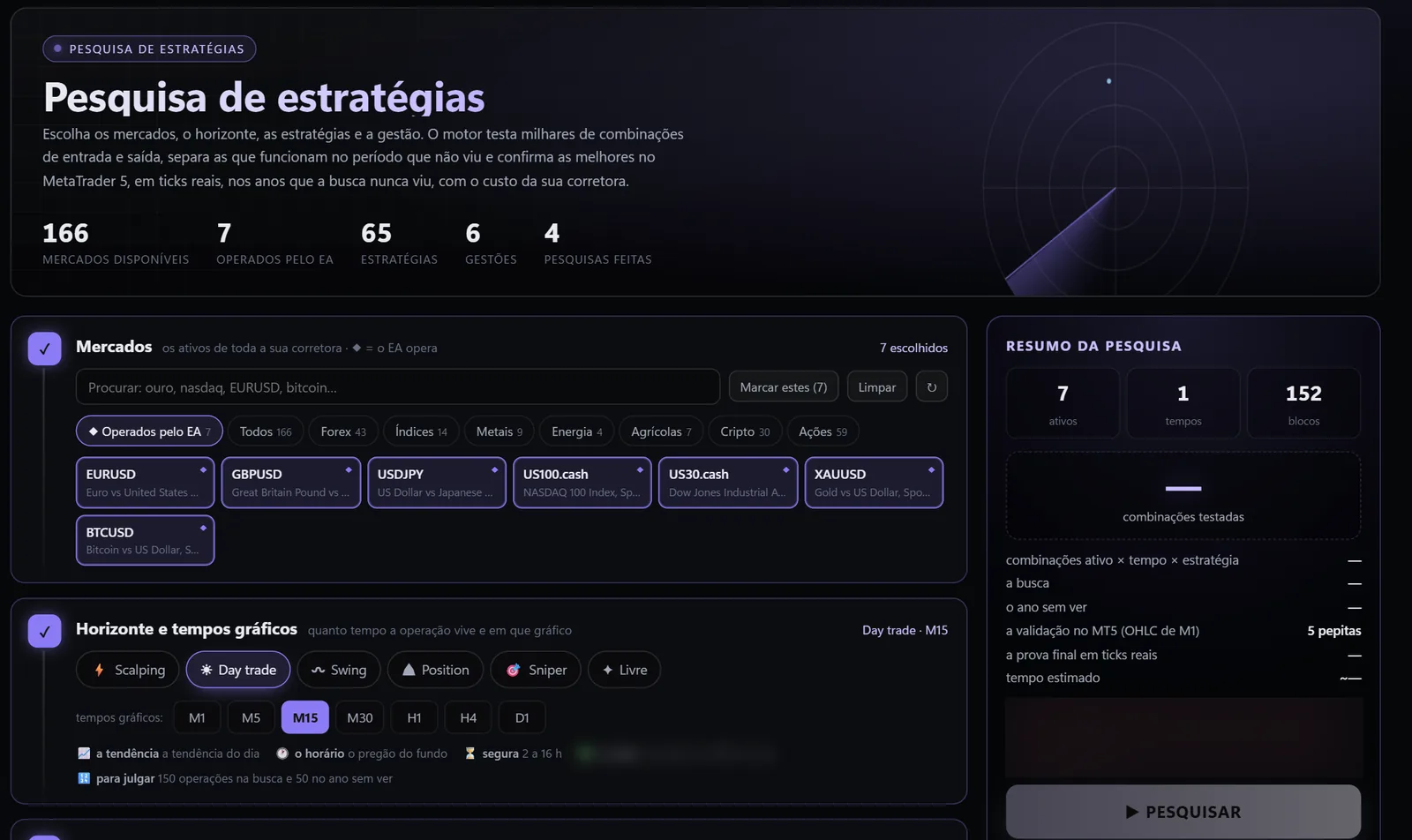
- Your broker's markets
- The horizon and the timeframes
- The search summary: assets, timeframes and blocks

Spec sheet
Everything the CT does.
A PC program included in the license. It doesn't trade on your account: it researches, validates and hands the EA what you approve.
- R.01
Installs and updates the EA
In one click: installs the EA, hands over the login and opens MetaTrader 5 with the EA on the chart. Updates arrive verified.
- R.02
Strategy research
Scans entry and exit rules on forex, indices, metals and crypto: the assets your broker offers.
- R.03
Rule builder
Build your rule with MT5 indicators, Fibonacci and SMC, or bring a TradingView indicator written in Pine.
- R.04
Your broker's costs
The spread of each hour, the real commission and swap in every test, and the final test on real ticks.
- R.05
Out-of-sample validation
The score comes from the years the strategy has never seen, with 1,000 Monte Carlo scenarios to take luck out of the equation.
- R.06
Score from 0 to 100
Each strategy gets its score with the reasons in writing. Green from 80 = passed everything.
- R.07
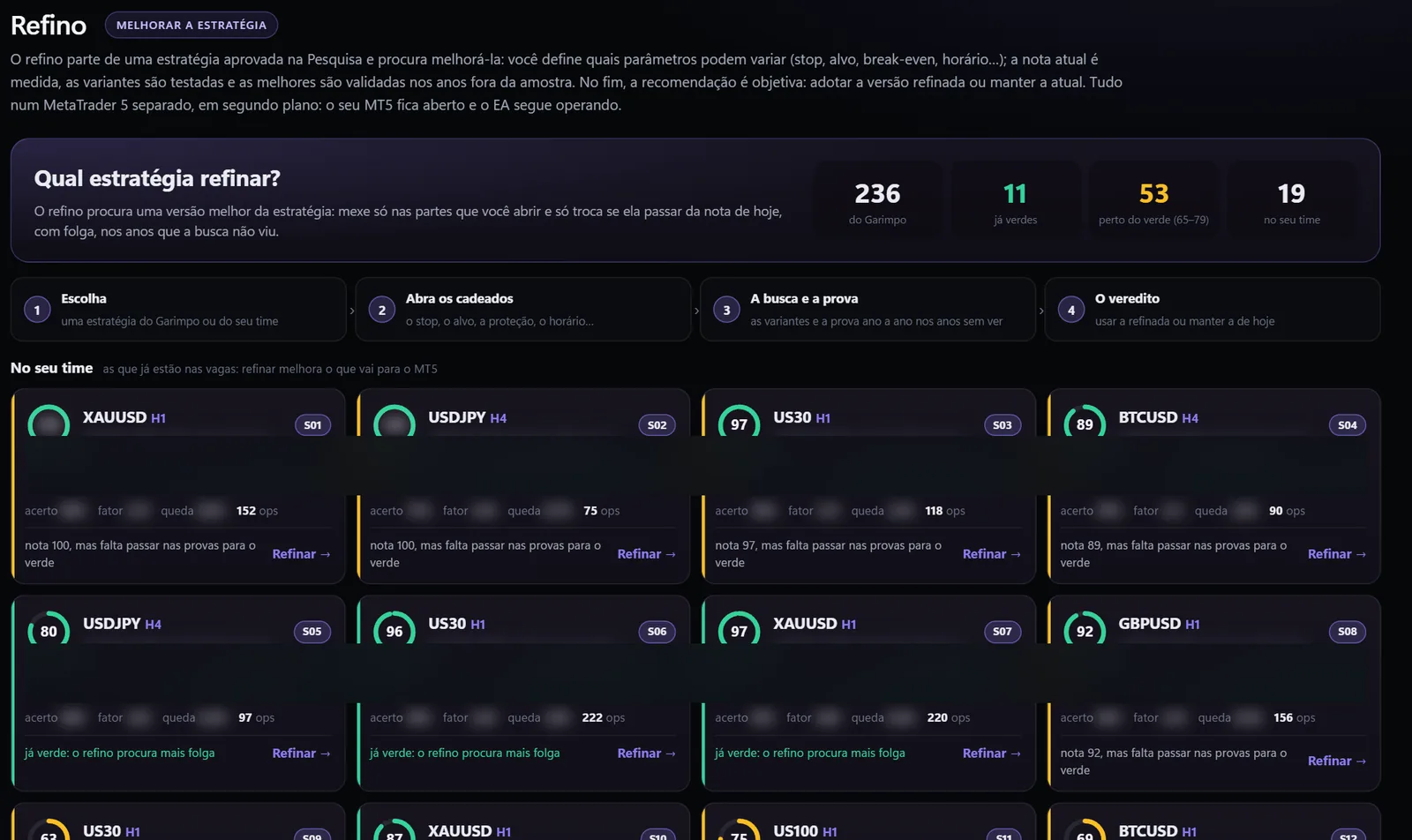
Refinement
Adjusts the stop, the target, the break-even and the hours, and only recommends the new version if it passes out of sample again.
- R.08
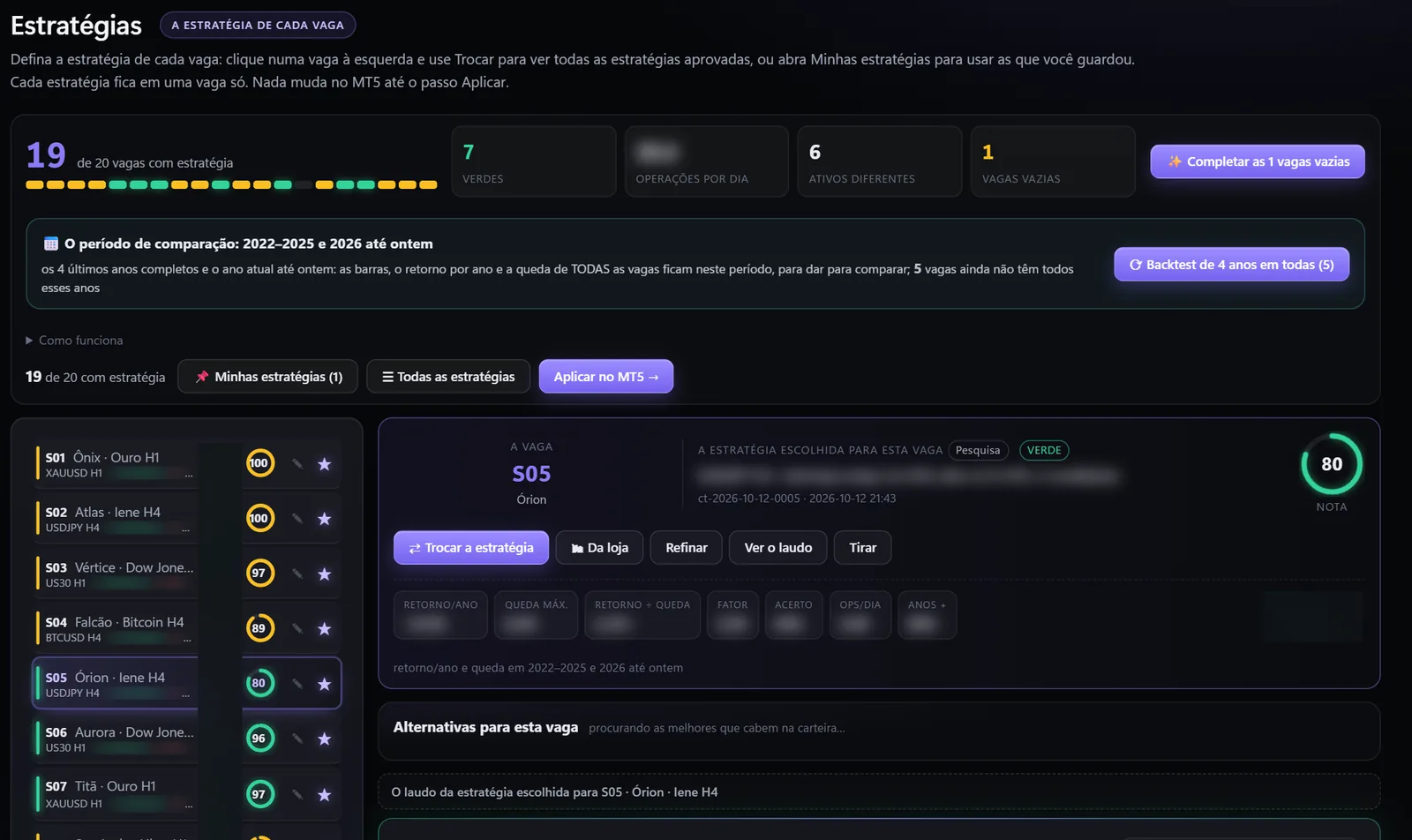
Portfolio of up to 20
Strategies that don't move together, built automatically or slot by slot, with the before and after in view.
- R.09
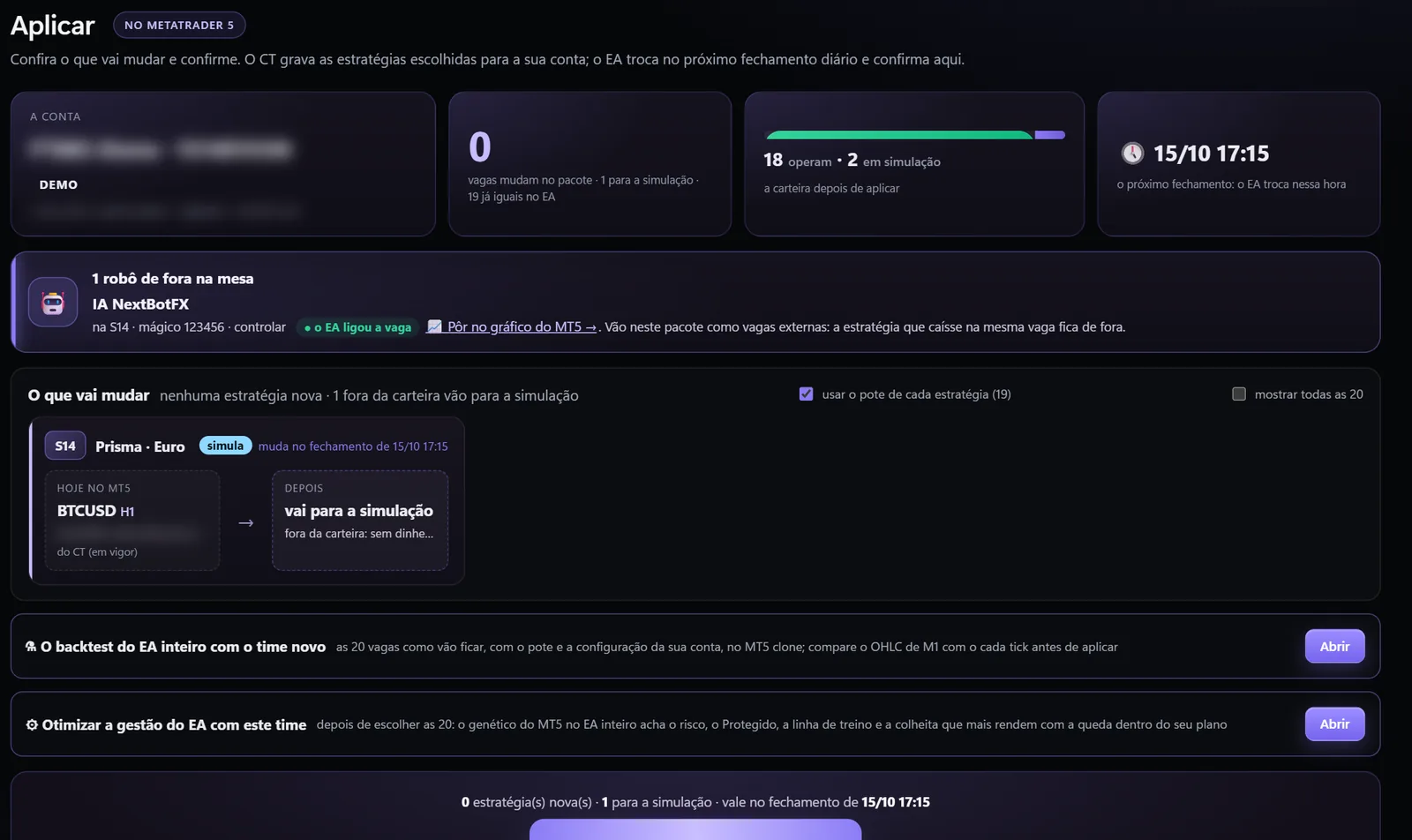
Apply with confirmation
Nothing changes on your MT5 without your OK: the CT saves what you approved and the EA switches and confirms.
- R.10
EA validation
The robots you already use on MT5 go through the same screening and can take a portfolio slot, with limits.
- R.11
Store
Strategies shared by other clients and approved by moderation, with the risk and consistency in view. Robots are coming soon.
- R.12
Monitoring
Live results next to the test, with an alert when the two drift apart, and an execution check: slippage and latency.
- PDF reports
- Tests in a separate MT5, in the background
- Backup at every update
- Verified updates
- Five languages
Security
Your capital stays with your broker; the CT runs on your PC.
- The CT doesn't trade on your account: the tests run in a separate MetaTrader 5.
- Every EA order is born with a stop registered on the broker's server.
- The connection always starts from your PC: the site never gets into it.
How the list works
- 1You join the list with your name, WhatsApp and email.
- 2Until the launch, you get to see how the CT works: the research, the validation and the management.
- 3At launch, you hear about it first and get the list's special offer.